Sprite Extractor
A downloadable tool for Windows
Sprite Extractor
**Sprite Extractor** is an offline Windows desktop tool for indie game developers who want a faster way to turn videos, image frames, and sprite sheets into clean game-ready sprite assets.
It brings the core sprite preparation workflow into one focused tool:
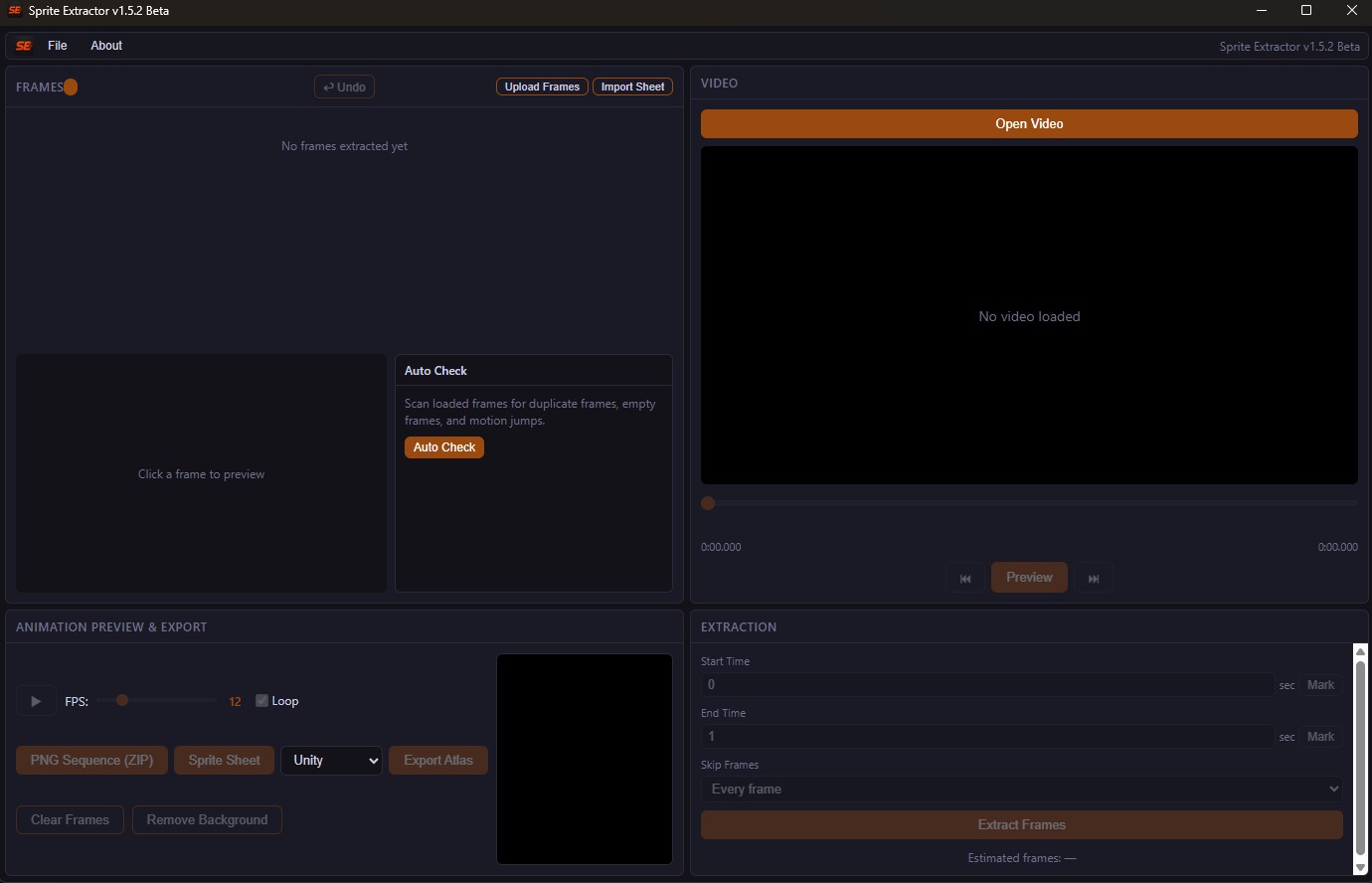
**Extract → Clean → Check → Export**
No account. No subscription. No cloud upload required.
---
What it can do
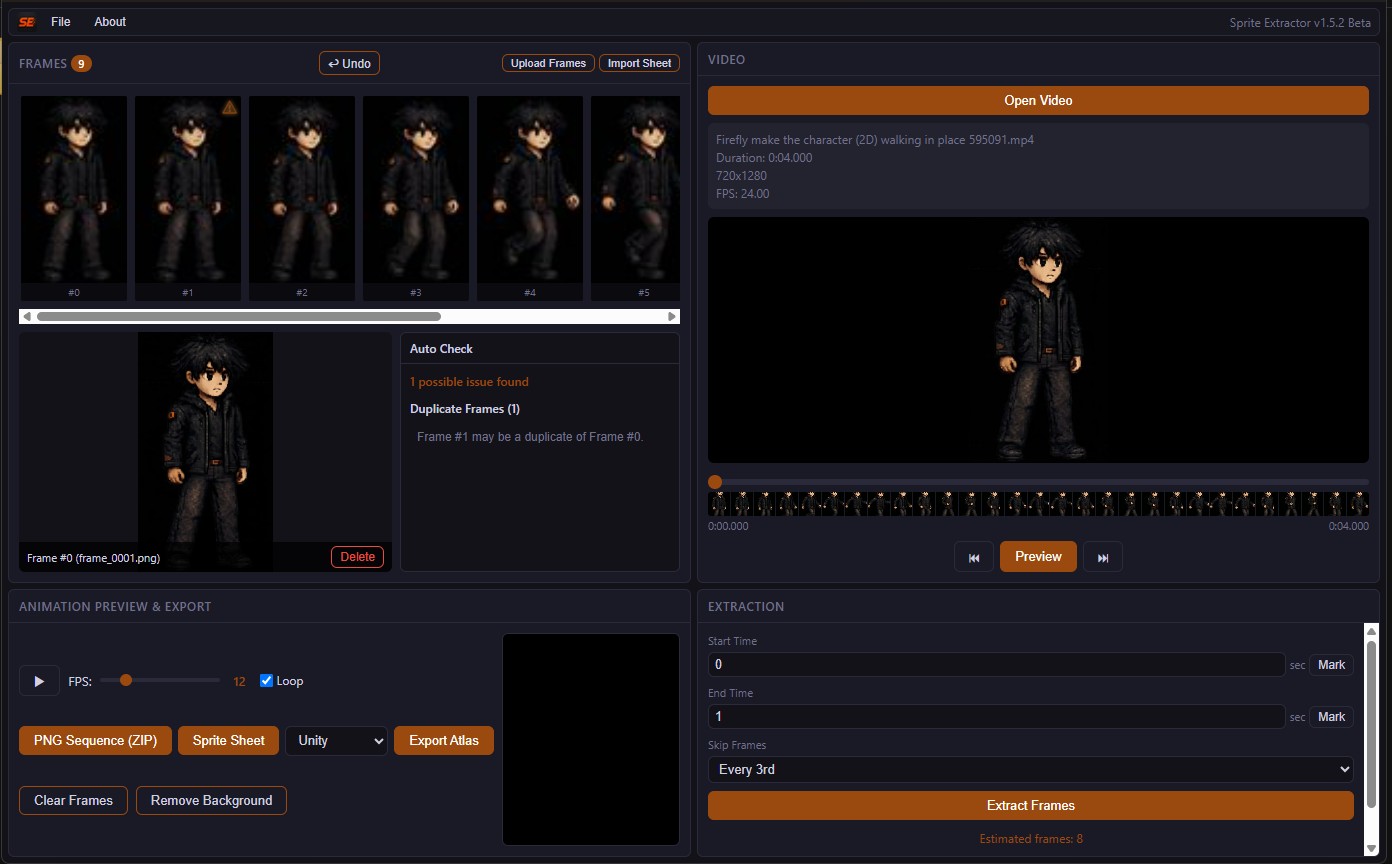
- Extract frames from videos
- Import loose image frames
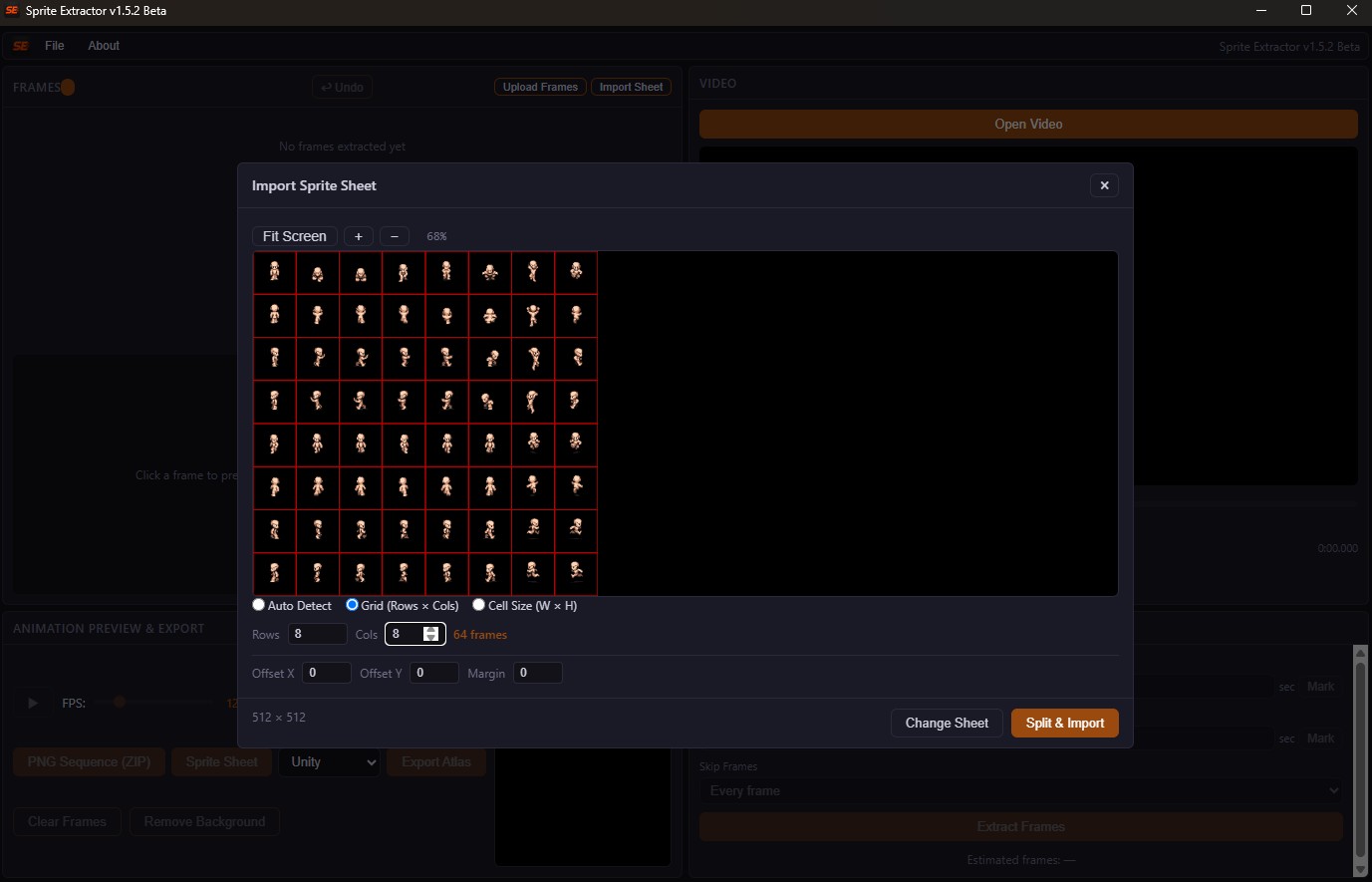
- Import and split sprite sheets
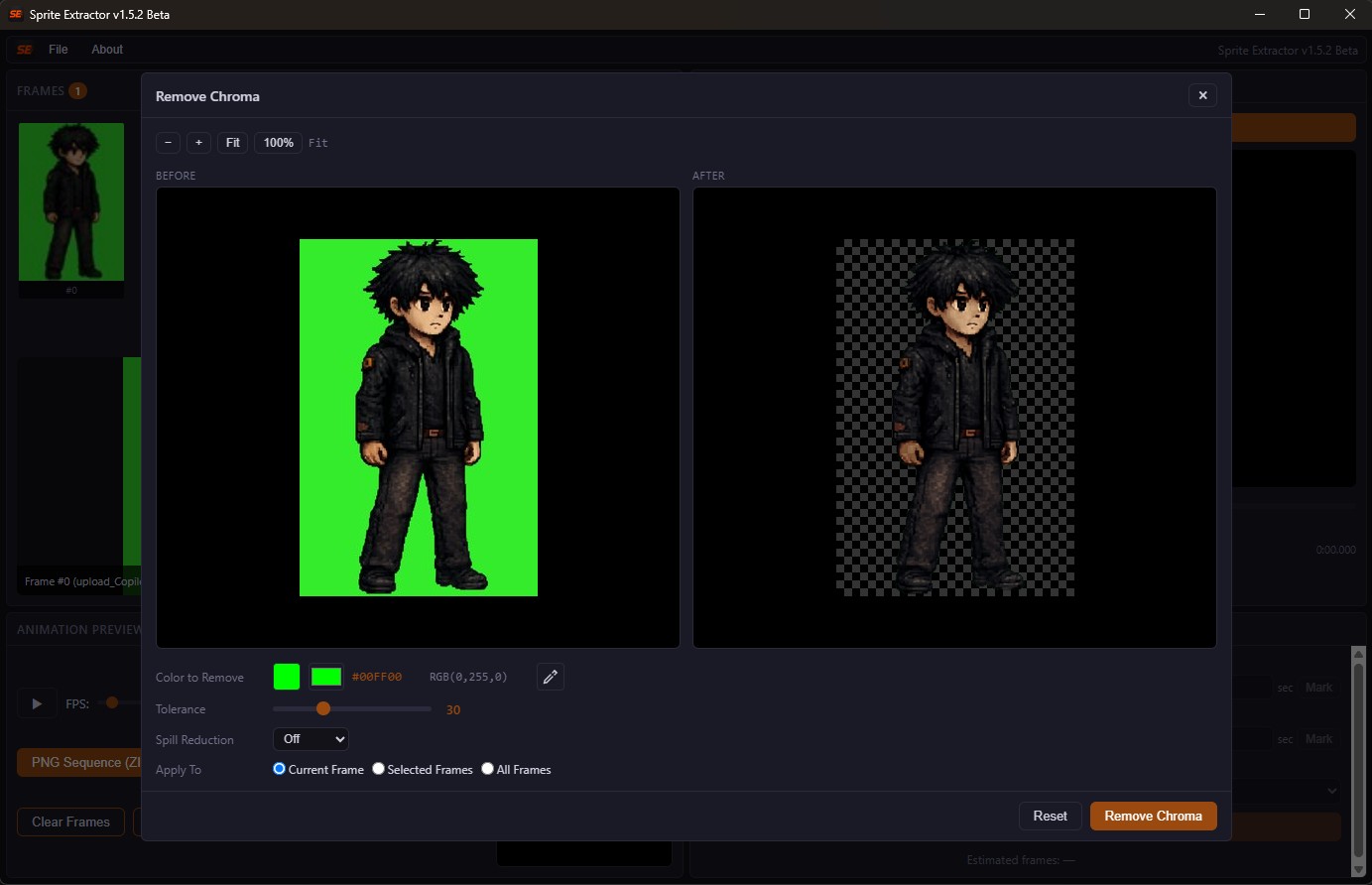
- Remove backgrounds with chroma tools
- Pick background colors with a direct eyedropper
- Preview animations
- Auto Check possible frame issues
- Detect possible duplicate frames
- Detect possible empty / transparent frames
- Detect possible large visual jumps
- Export PNG sequences
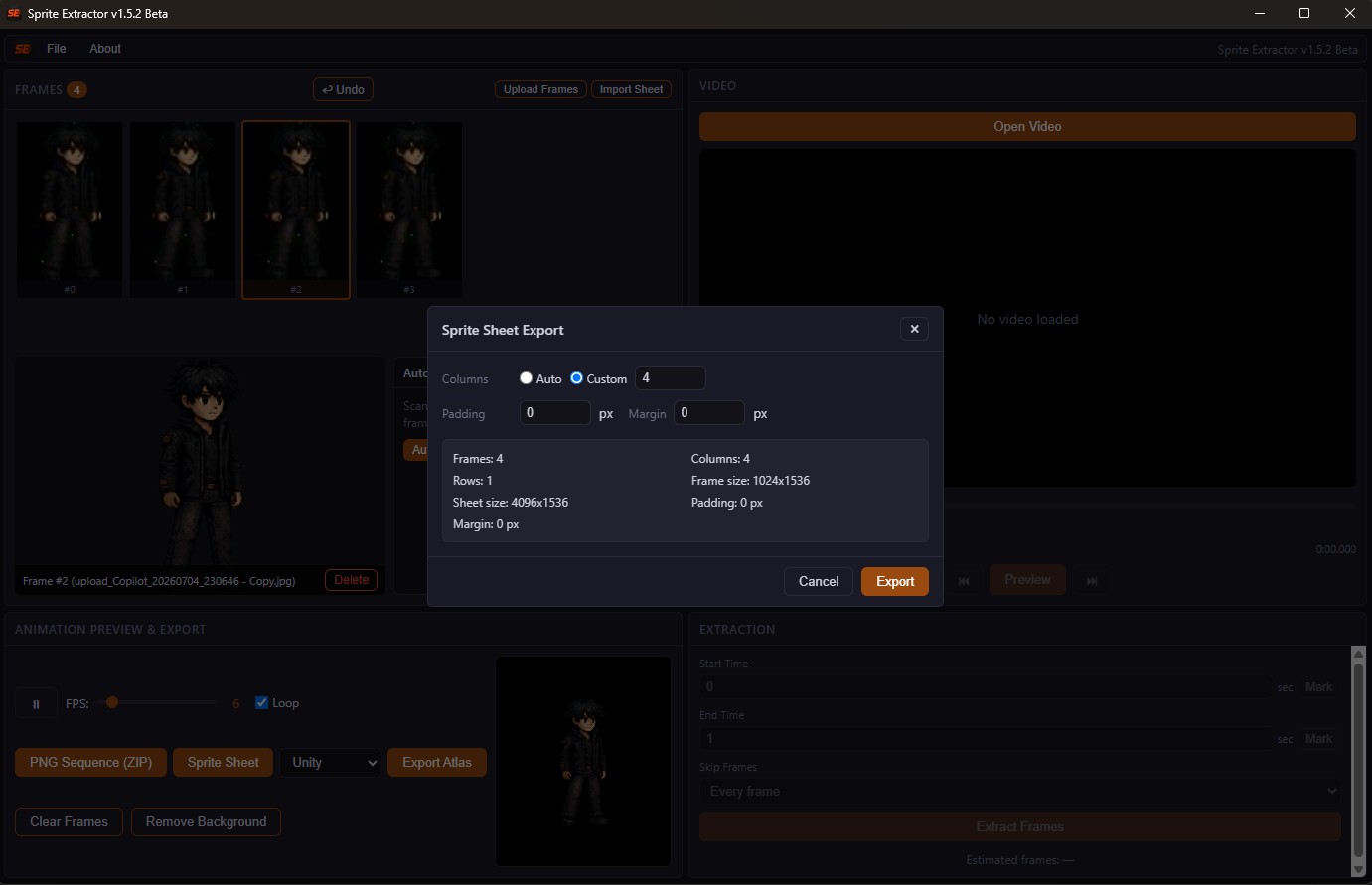
- Export sprite sheet PNGs
- Export atlas / JSON metadata
- Save and reopen projects with `.spx` project files
- Reopen recent projects quickly
---
Built for indie dev workflow
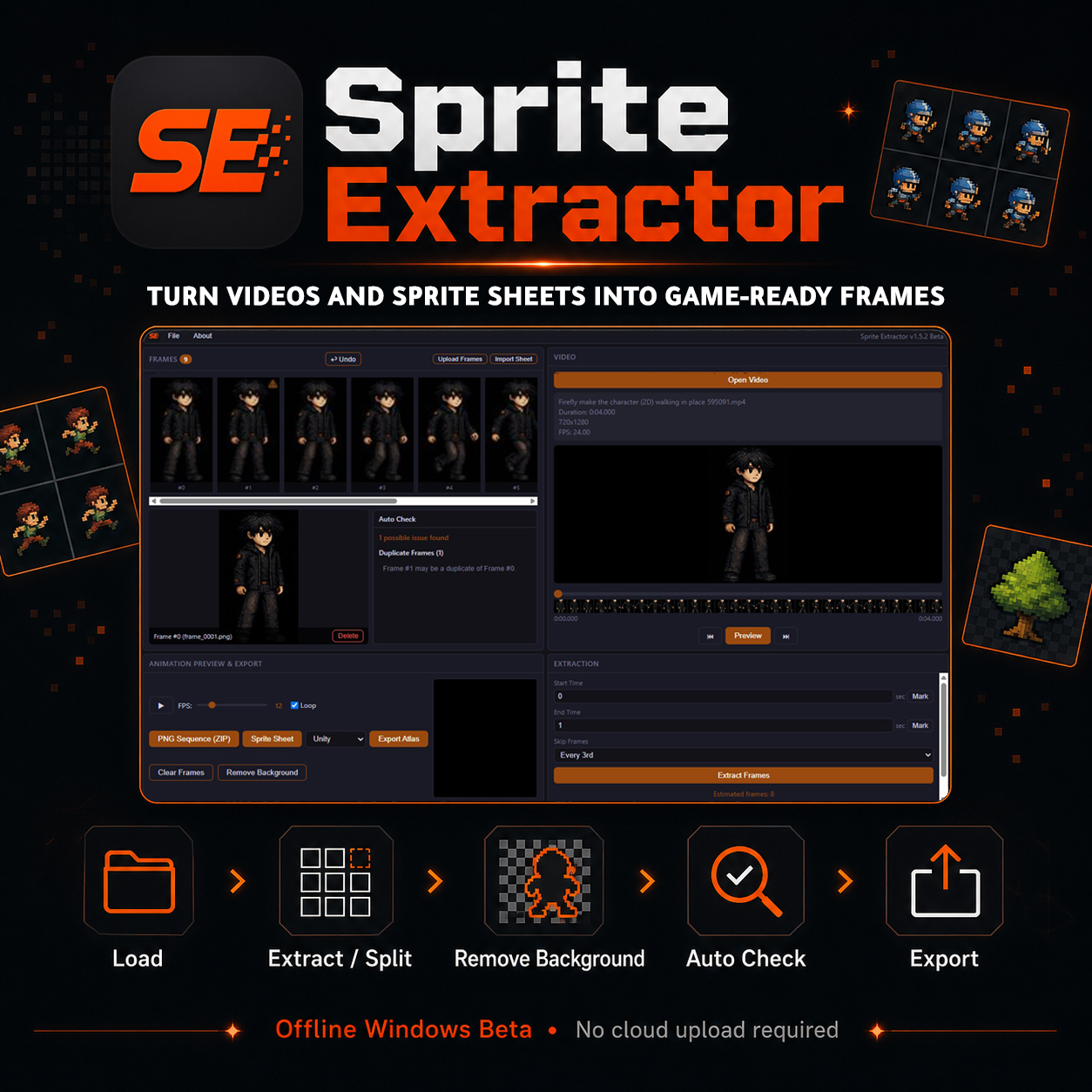
Sprite Extractor is made for small game developers, pixel artists, and solo creators who want to prepare sprite frames without jumping between many different tools.
Use it to quickly move from source material to usable game assets:
1. Load a video, frames, or sprite sheet
2. Extract or split frames
3. Remove background if needed
4. Use Auto Check to catch possible frame issues
5. Export PNG sequences, sprite sheets, or atlas metadata
---
Offline and private
Sprite Extractor works locally on your Windows PC.
Your files are not uploaded to the cloud, so your source videos, frames, and sprite sheets stay on your machine.
Enjoy your privacy.
---
## Updates
All future beta updates are included for free.
---
License
Pay once, use it forever.
No subscription.
You can use Sprite Extractor for personal and commercial projects.
You may not resell, redistribute, repackage, or claim ownership of the Sprite Extractor application itself.
---
Current status
Sprite Extractor is currently a **Windows beta**.
Tested platform:
- Windows 10
- Windows 11
macOS and Linux versions are not available yet.
---
Support / bug reports
If you find a bug, please send:
- What you were trying to do
- Exact steps to reproduce the problem
- Screenshot if possible
- The video/frame/sprite sheet type if relevant
- The latest log file if requested
Contact:
**samiralshqour@gmail.com**
Purchase
In order to download this tool you must purchase it at or above the minimum price of $4.99 USD. You will get access to the following files:
Comments
Log in with itch.io to leave a comment.
Hello,
Is the documentation included with the software?
Hello!
Yes, a README / quick-start guide is included with the download.
After extracting the ZIP, you’ll find `README_FIRST.txt` in the main folder.
If you need anything specific or feel something is missing from the documentation, let me know